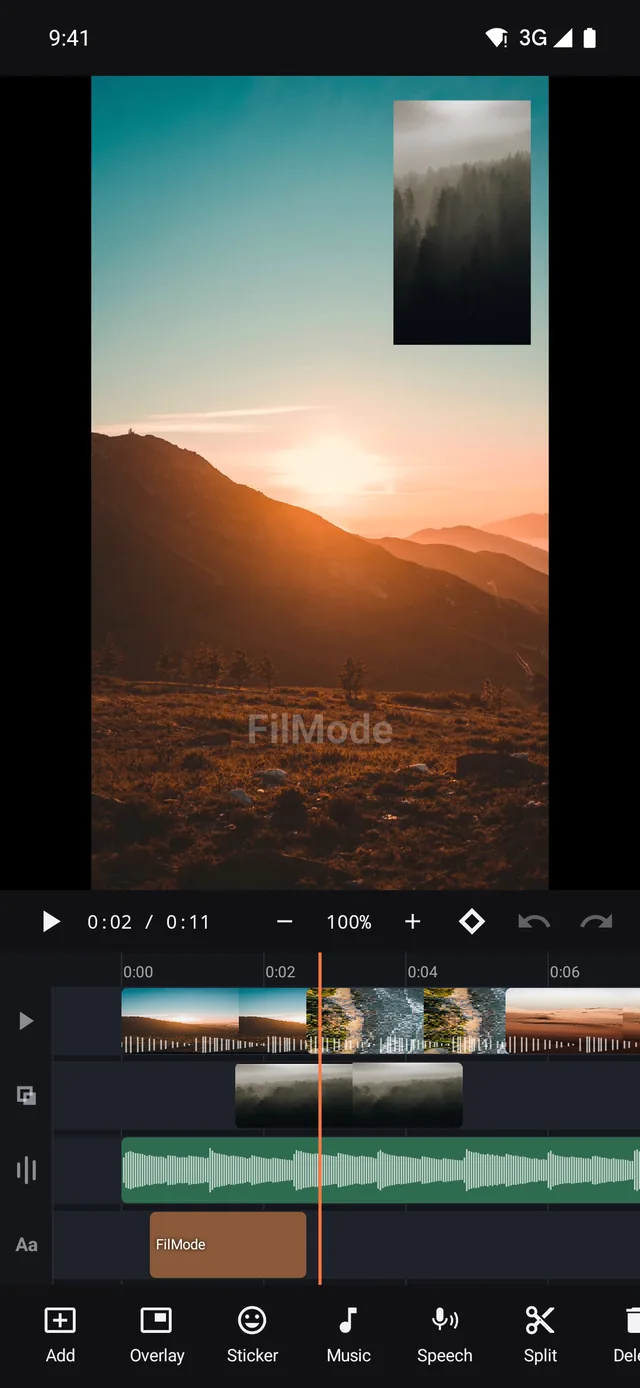
01 / TIMELINE
Stack the story.
Video, overlays, audio and text stay on their own lanes.
A real multi-track editor for the phone in your pocket. Build a story with layers, transitions, captions and 4K export — then keep it yours, offline and watermark-free.
No watermark, ever No account required Editing works offline No ads while you edit
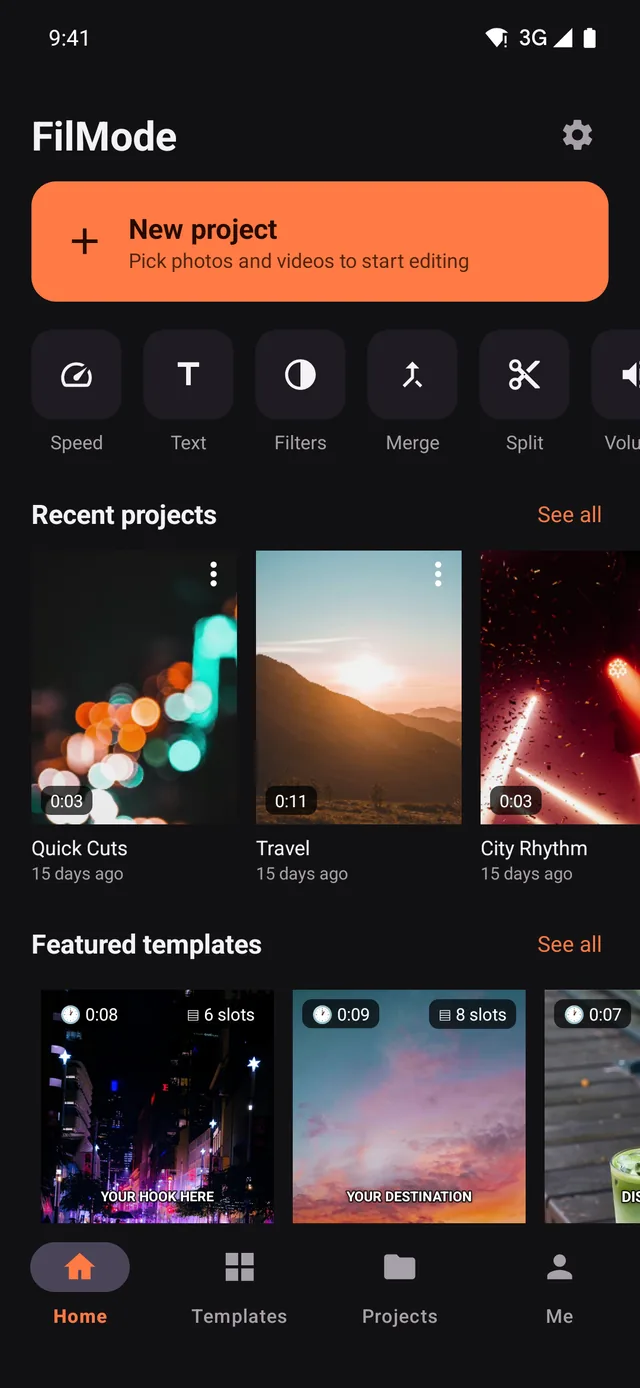
Every visual here is pulled from the real app UI — the timeline, export sheet and live colour controls you can use on day one.
Video, overlays, audio and text stay on their own lanes.
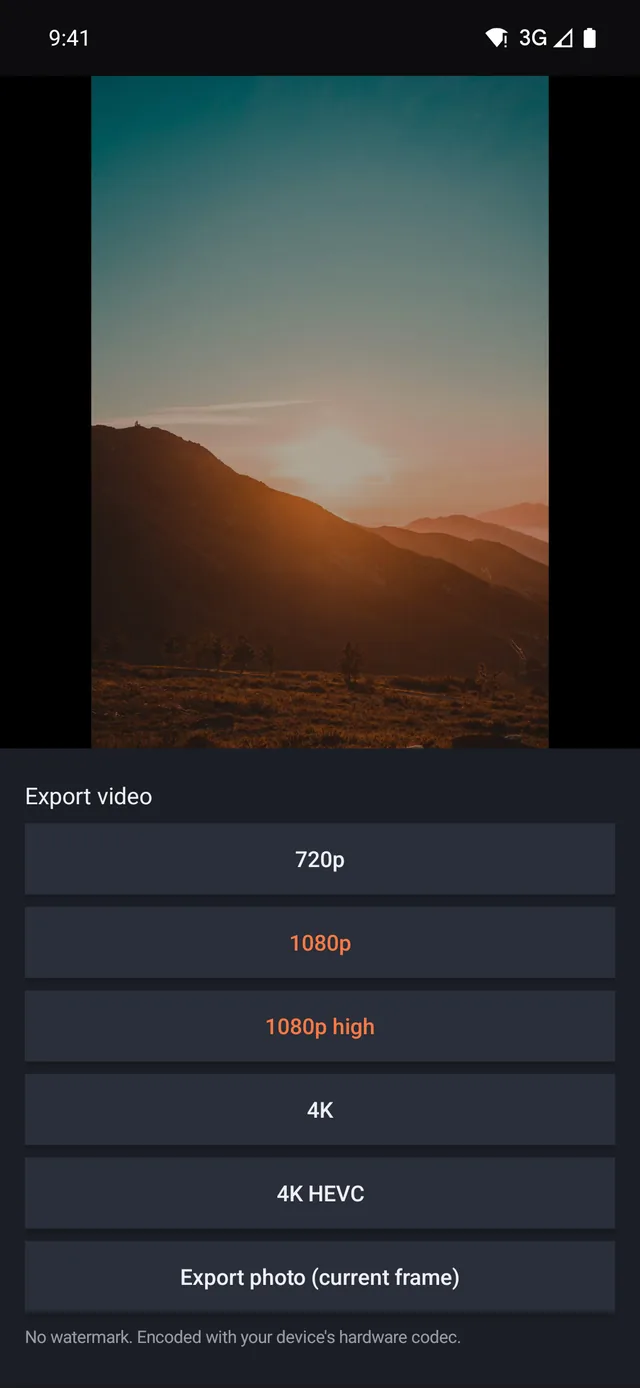
4K export with no watermark.
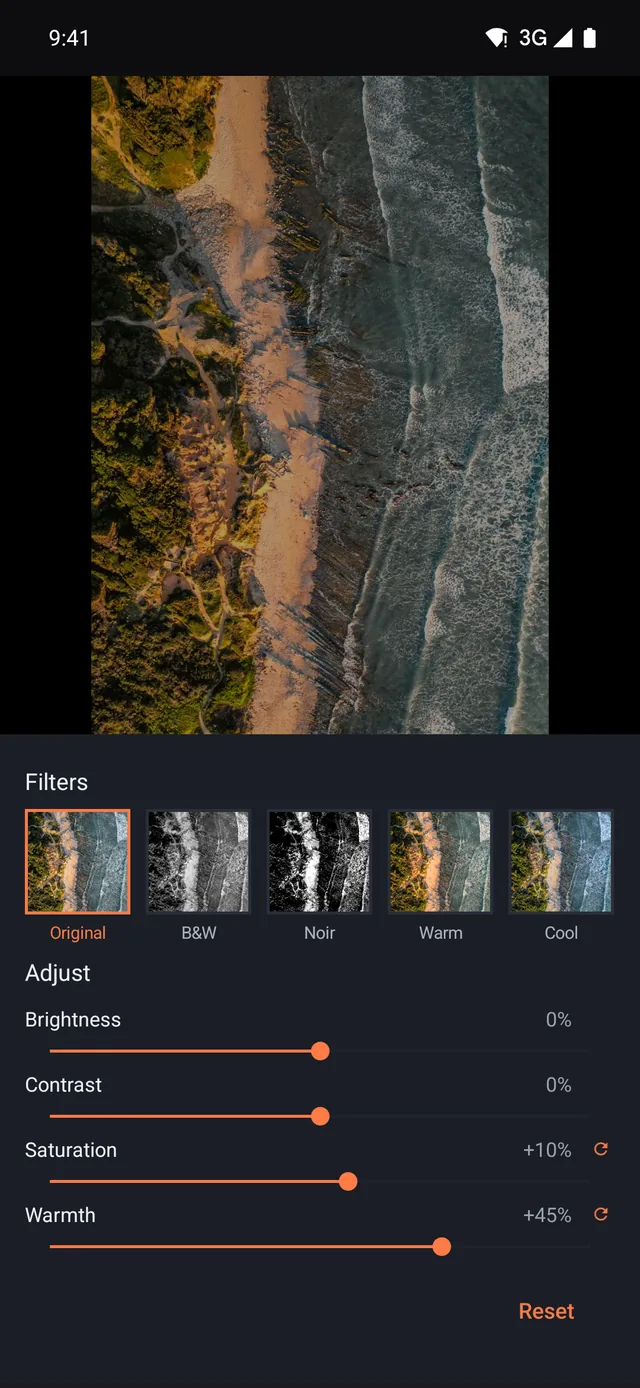
Preview every slider as you drag.
Most phone editors give you one strip of clips and a sticker drawer. FilMode gives you stacked video tracks, independent audio, and text you can keyframe — the controls you would expect on a desktop NLE, sized for a thumb.
Stack video over video, add overlays and picture-in-picture, and keep music, voiceover and effects on separate audio lanes. Pinch to zoom down to the frame.
Dissolves, wipes, slides and zooms with adjustable duration, plus colour filters you can dial back instead of accepting at 100%.
Ramp a clip from slow motion into real time along a curve you draw yourself. Pitch stays correct unless you ask for the chipmunk.
Automatic captions generated on the device, then editable word by word. Fonts, outlines, shadows, and animated in/out for every text layer.
1080p and 4K at 30 or 60 fps, straight to your gallery through the phone's own hardware encoder — with no watermark on any tier, including free.
Import, cut, preview and export never touch the network. Put the phone in airplane mode and the editor keeps working end to end.
There is no exception: FilMode has no cloud AI, no server render and no account. Even automatic captions are written by your own phone. See the Privacy Policy for the short list of things that do leave the device — diagnostics you can switch off, and the one reward video.
Pick one, drop your clips into the slots, and the cuts, text and timing are already set. Every template is a normal project afterwards — open the timeline and change anything you like.

Three seconds to stop the scroll, then the problem, then the save-this line. The shape every thread post uses.
Five equal steps that slide past like a carousel, then a beat to say save this. Tutorials in one take.

Eight short slots cut on the beat — enough for a whole trip without a single clip outstaying its welcome.
Three slides chained into one long pan, then two wide slots to land on. Distance, not itinerary.

Five slow slots built for close-ups, with the dish name and the address where people expect them.
One number, one deadline, one call to action. Hard cuts, no dissolves — a sale post should feel urgent.

Build-up, reveal, call to action — the shape of every unboxing, minus the waffle.
Eight seconds to say who you are. Short enough for a profile pin, long enough to say something.
Seven slots, thirteen seconds: room, room, room, then the numbers and the booking line.

Ten slots with room to breathe and a Ken Burns drift, so stills carry the whole piece.

Eight stills dissolving one into the next — a month per slot, built for photos rather than video.


Twelve stills, one per month, at a pace that stays readable to the very last frame.

Twelve slots at a steady beat. Drop clips in and the cut lands on the beat whether or not you can hear it.

A three-two-one countdown into the moment the candles go out. Gold type, on purpose.


How you met, every day since, and the line you would say again. Six slots, no captions needed.


Two slots at half speed inside four at full speed — the replay is built into the template.
Cutting, transitions, captions, audio and watermark-free 4K export are in the free tier and stay there — every AI feature too, because they all run on your phone. Pro adds the eight Pro colour looks and turns the ads off.
$34.99 / year — about $2.92 a month, or $69.99 once for lifetime.
Prices are the US store prices before tax; Google Play converts them for your country. Subscriptions are billed and cancelled in Google Play, not in the app — see how to cancel.
No watermark, on any tier, at any resolution. It is not a trial limit and there is no "remove watermark" purchase — exports come out clean because a logo burned into someone else's video is not ours to put there.
There is no account. You never sign up, never sign in, and there is no profile for us to hold. Purchases attach to your Google account, so restoring them on a new phone is a single tap in Settings.
No — not for anything. Import, preview, effects, captions and export all run on your phone's own hardware, and the whole app keeps working in airplane mode. There is no cloud AI job and no server render: we never receive your footage at all.
Android 7.0 or newer with 3 GB of RAM will run it. For comfortable 4K work, Android 12+ with 6 GB and hardware HEVC decoding is a better target. Export speed is set by your chip's video encoder, not by the app.
FilMode is the same editing engine, published by the same team, in a build shaped for Android alone. ProCut is the cross-platform edition that also runs on iPhone, iPad and Mac. Projects are not shared between the two apps — each keeps its own library on the device.
None while you edit, and no banners or pop-ups anywhere. There is exactly one reward video, on the store screen, which you can tap to unlock every Pro filter for 24 hours — up to five a day. It never plays on its own, and paid tiers never see it at all.
Install it, drop in a clip, and see how far you get before anything asks you for money. Most people never hit the ceiling.